
What Happens After You List an Item on a Marketplace
Listed an item and instantly got flooded with emails? This case study breaks down how scammers target marketplace listings using automation and phishing tactics.
Overview
Online marketplace scams are becoming increasingly common, particularly on platforms where individuals buy and sell directly with each other.
Marketplace scams sit within a much larger fraud problem. According to the FTC’s Consumer Sentinel data, US consumers reported $16 billion in fraud losses in 2025, up about 25% on the previous year. While many marketplace scams involve relatively small amounts, their impact is significant, especially during ongoing cost-of-living pressures.
A key trend is that scammers are becoming more organized. They often reuse legitimate listings, copy product information, and rely on speed and urgency to catch people off guard. Messaging patterns are frequently scripted and repeated, suggesting coordinated activity rather than individual behavior.
This isn’t just happening to buyers. Sellers are also being targeted.
I recently started selling a few things on Depop, just clearing out my closet.
Straight after posting a listing, I started getting emails. A lot of them.
All from random email addresses, all saying basically the same thing:
“Hey, is your listing still available?”
At first, I was confused why I was getting emails instead of direct messages through Depop. Then another question came up pretty quickly, where did they even get my email address from? I hadn’t shared it anywhere on the platform.
This kept happening every time I posted a new listing, and that’s when I started to recognize a pattern.
Observed Patterns
Across the emails received immediately after listing, a consistent pattern started to emerge. Messages repeatedly copied listing titles word-for-word in both the email headings and the body, with different senders using similar wording. They were arriving within minutes of posting, not over time like you’d expect from real buyers.
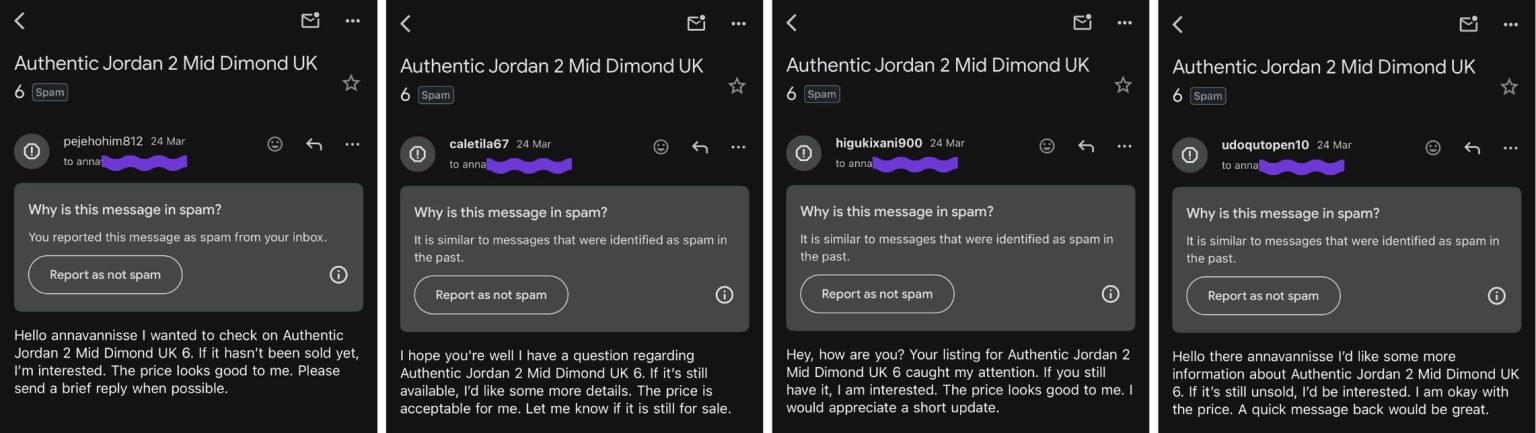
(Emails referencing the exact listing title, received from multiple senders within minutes of posting)
The behavior also escalated beyond basic inquiries. Emails began to mimic legitimate notifications, including fake “item sold” confirmations and account-related alerts. These were delivered through a mix of third-party platforms such as Calendly, Zcal, Studio.Design, Microsoft Teams, and ClickUp.
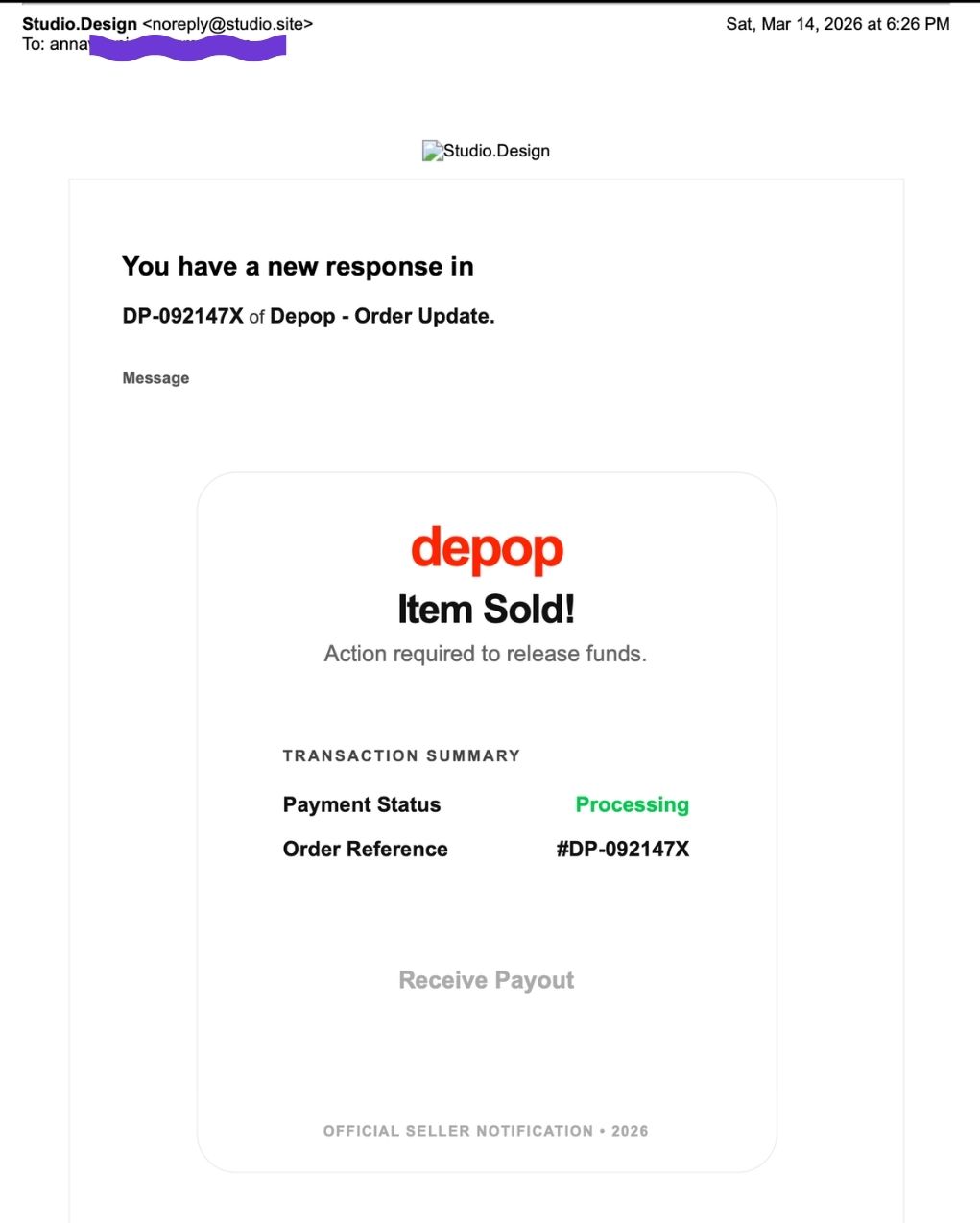
(Fake “item sold” email sent via Studio.Design, impersonating a Depop transaction notification)

(Fake Depop “sale” notification delivered via ClickUp, prompting account verification)
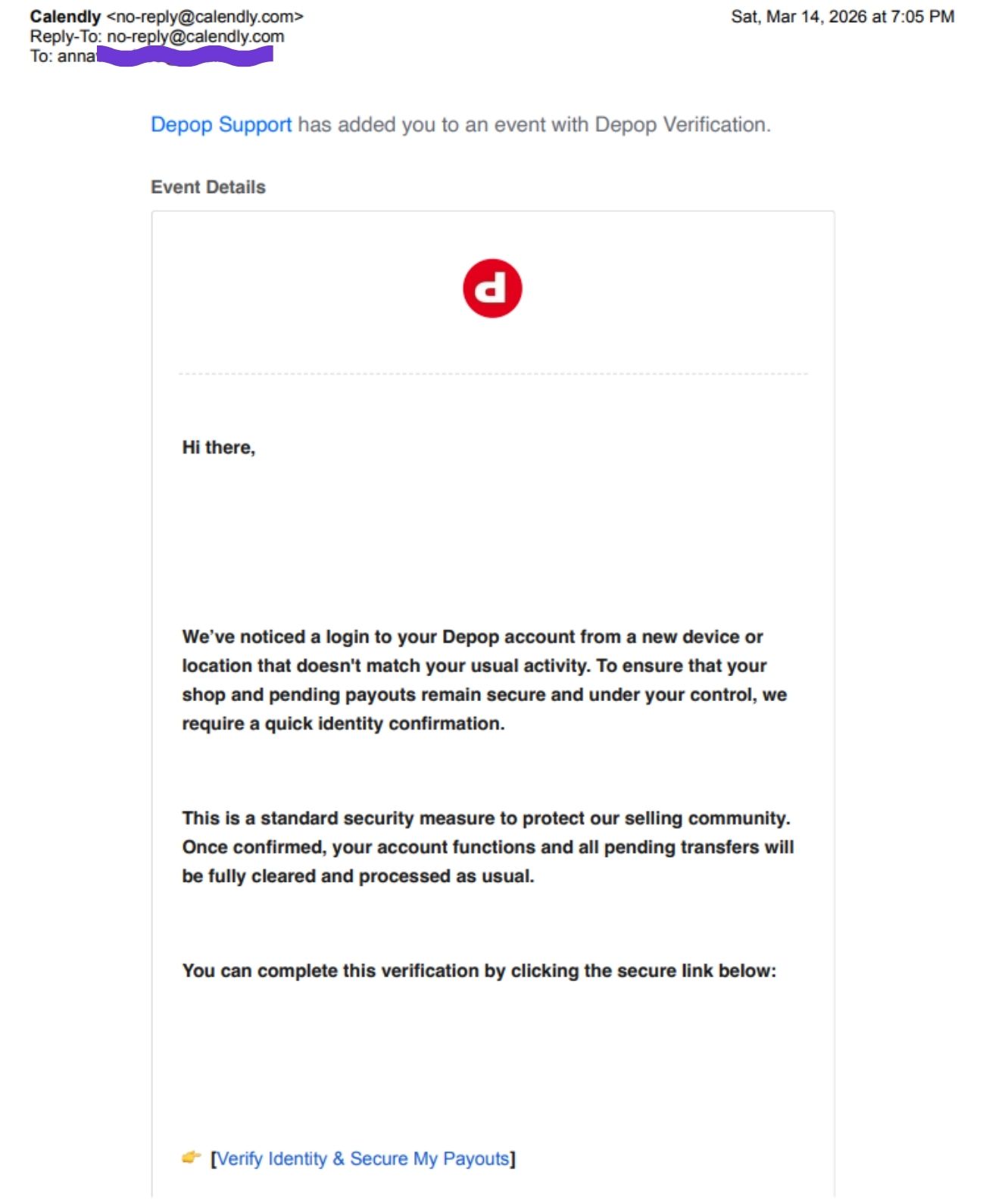
(Fake Depop “account verification” email sent via Calendly, prompting identity confirmation)
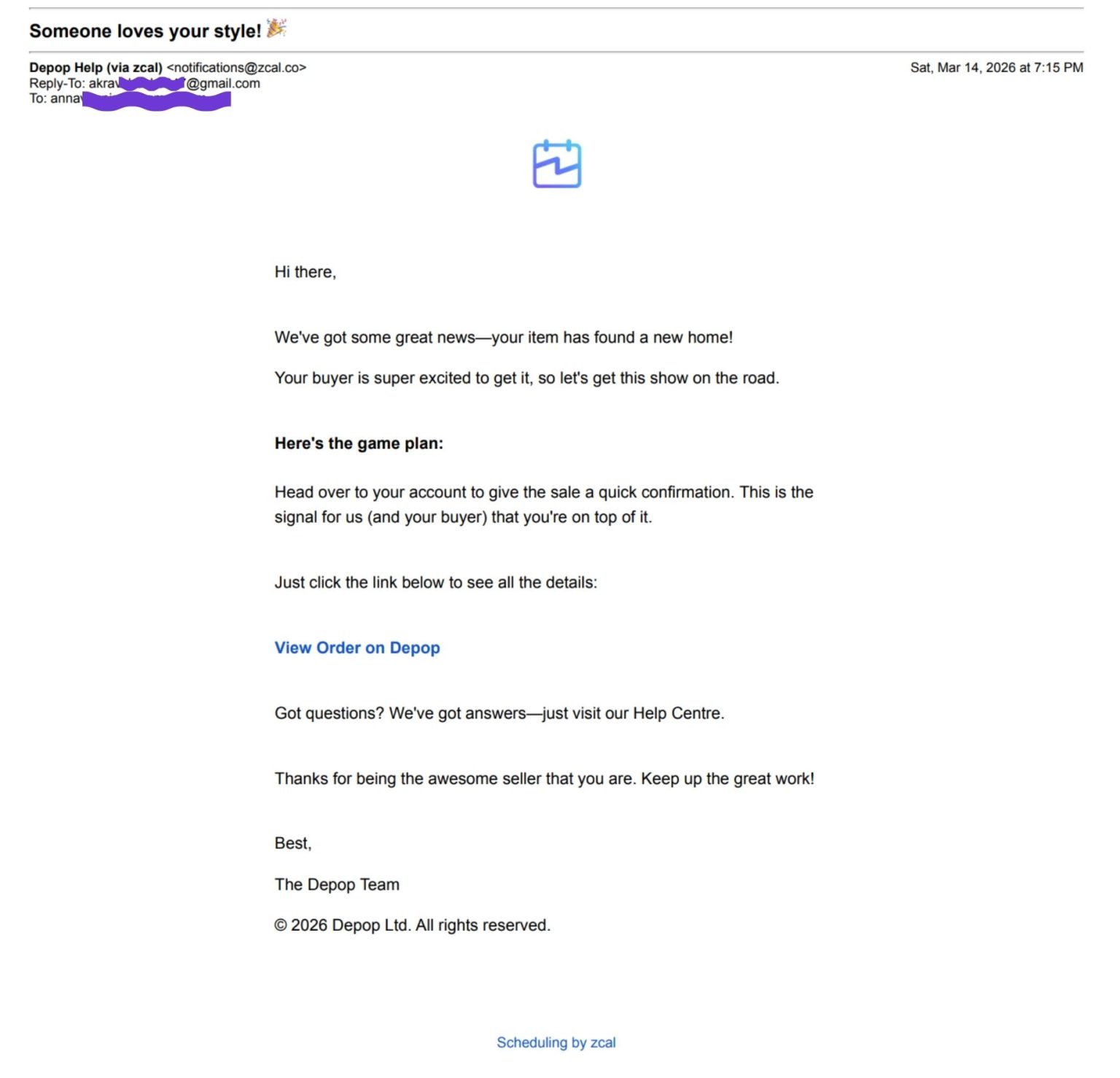
(Fake “item sold” email sent via Zcal, impersonating a Depop transaction)

(Fake Depop “account flagged” notification sent via Calendly, prompting recovery action)
Looking deeper into one of these emails reveals another clear red flag. While the message appears to come from “Depop Help (via zcal)”, inspecting the sender details shows a completely unrelated Gmail address listed as the reply-to contact.
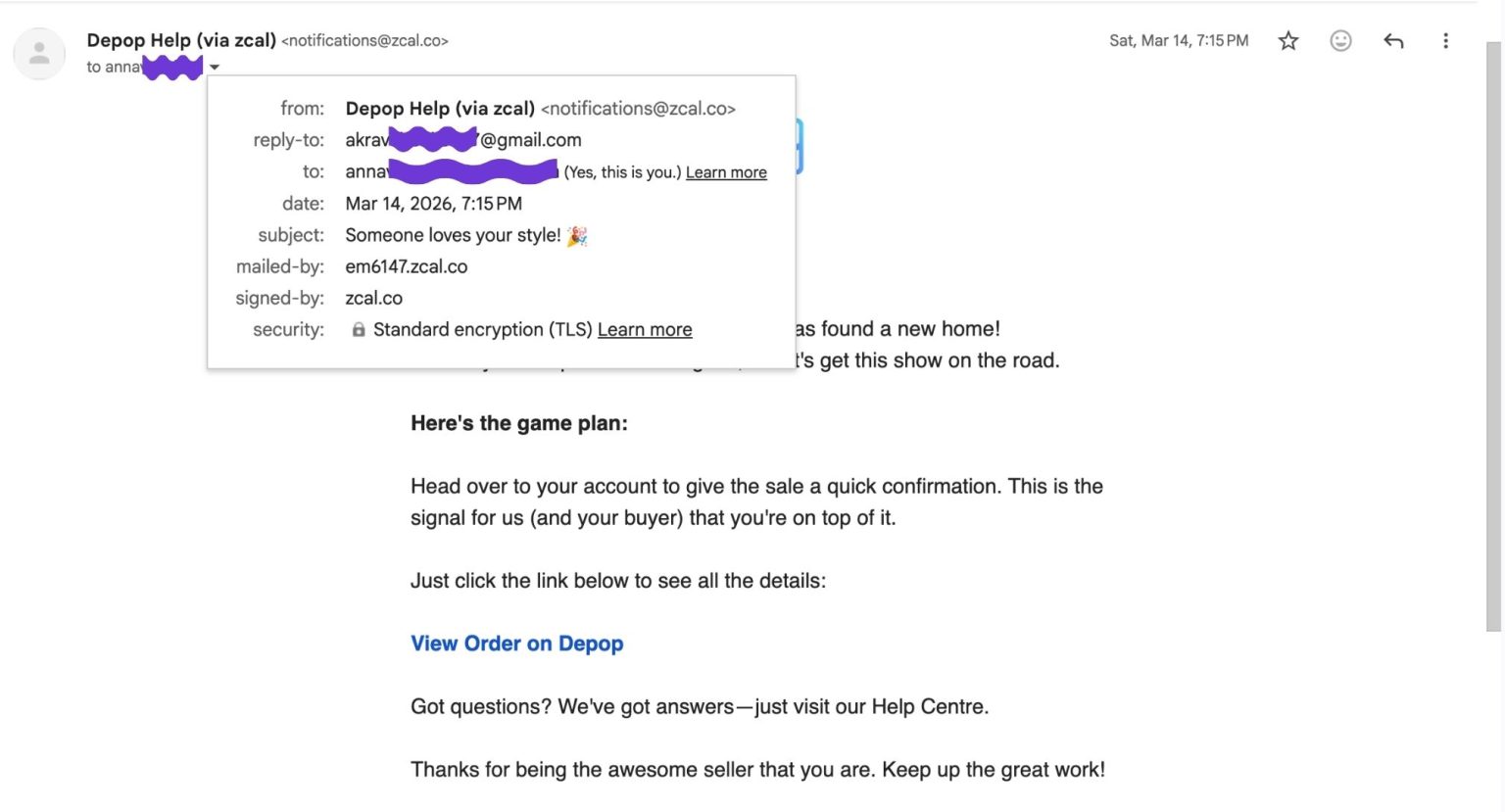
(“Depop Help” email sent via zcal, with sender details revealing an unrelated Gmail reply-to address)
This mismatch between the display name and the actual sender address indicates that the email is not coming from Depop, but from a third-party tool being used to send messages at scale. It also suggests that any replies would be directed to an unrelated personal inbox, rather than an official support channel.
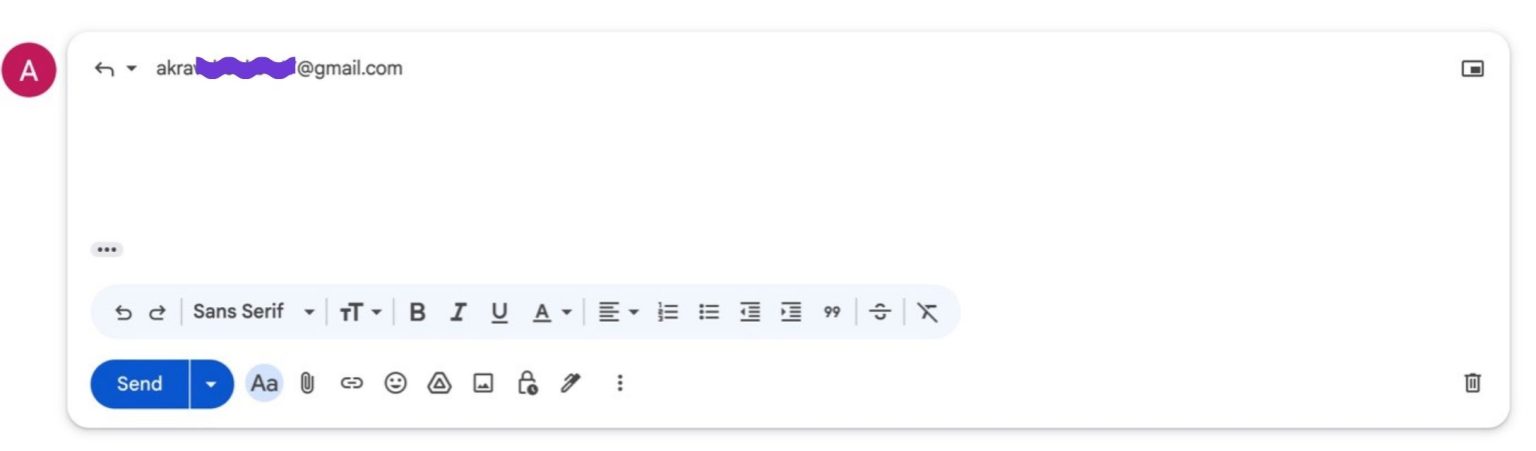
(Sender details showing a generic Gmail reply-to address)
This type of setup is commonly used in phishing attempts, where legitimacy is implied through branding, but the underlying sender details are completely unrelated.
In some cases, the emails were also sent to multiple recipients at once. In one example, a Calendly-generated message included a visible list of multiple unrelated email addresses within the same notification. The event organizer was also listed as a random Gmail account, rather than an official Depop domain.
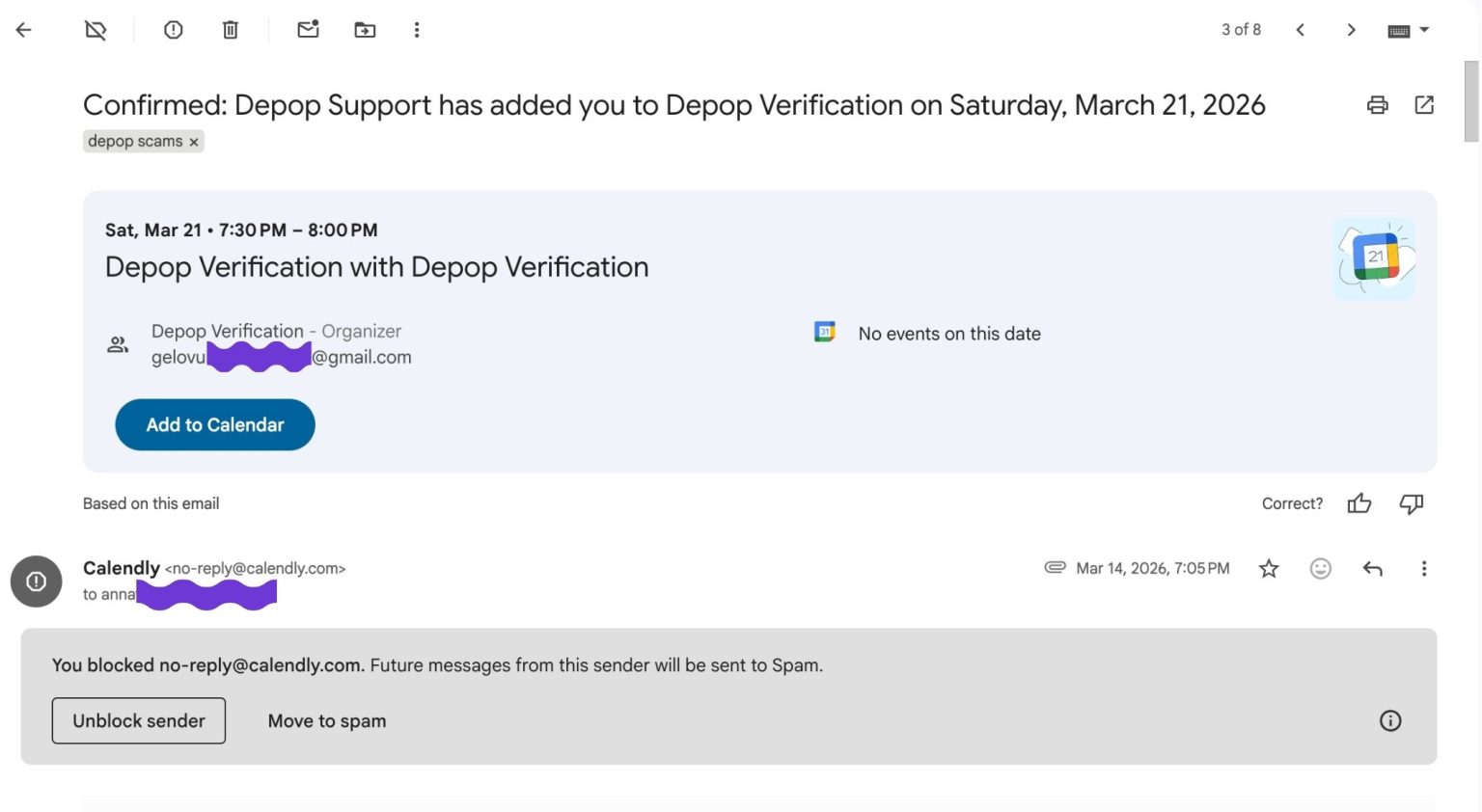
(Fake “Depop verification” invite sent via Calendly, with a generic Gmail organizer)
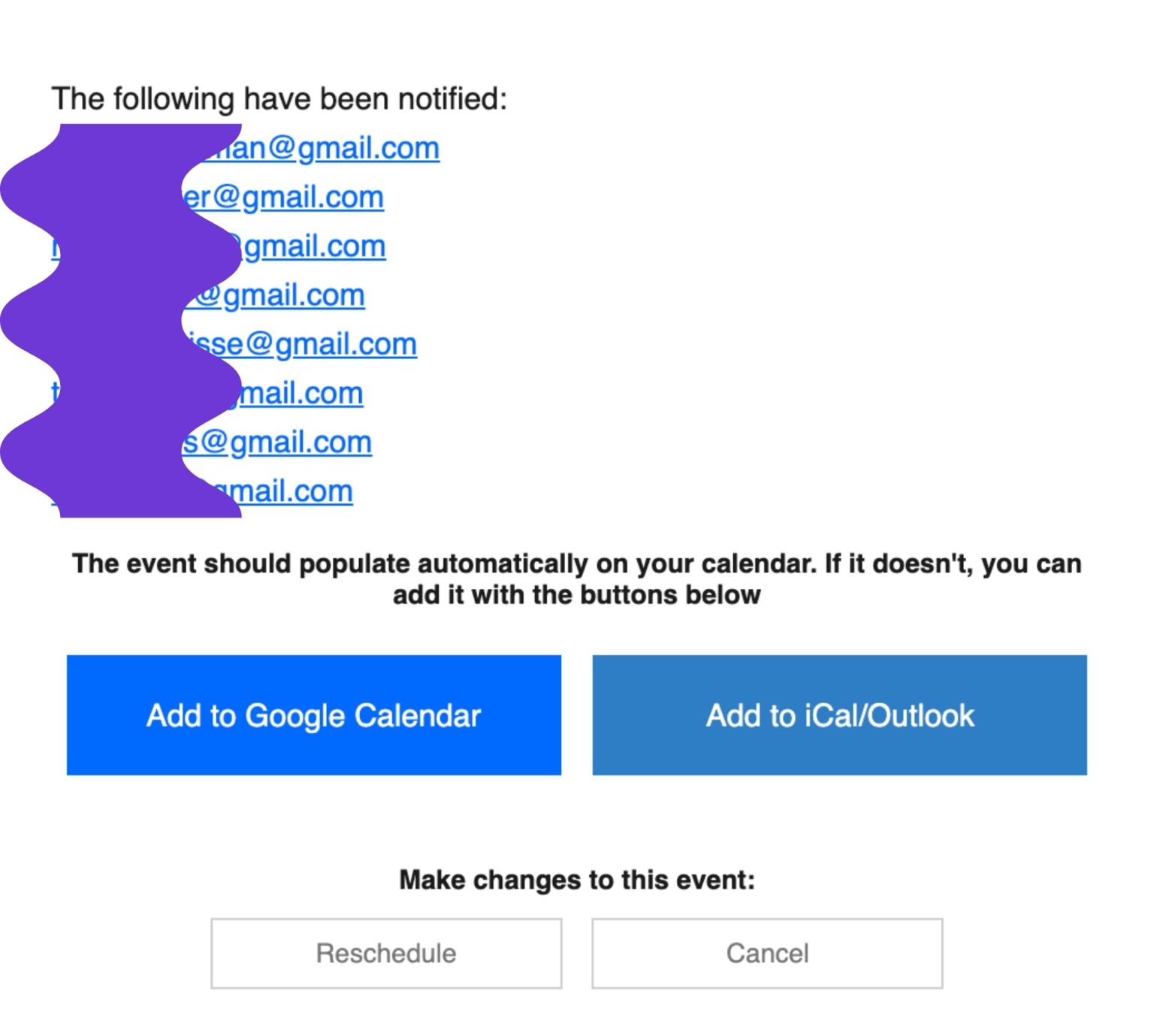
(Email exposing multiple unrelated recipients, indicating bulk distribution)
In another example, an email claiming to be from “Depop support” was sent via a Shopify email service and addressed to a large group of unrelated recipients simultaneously.
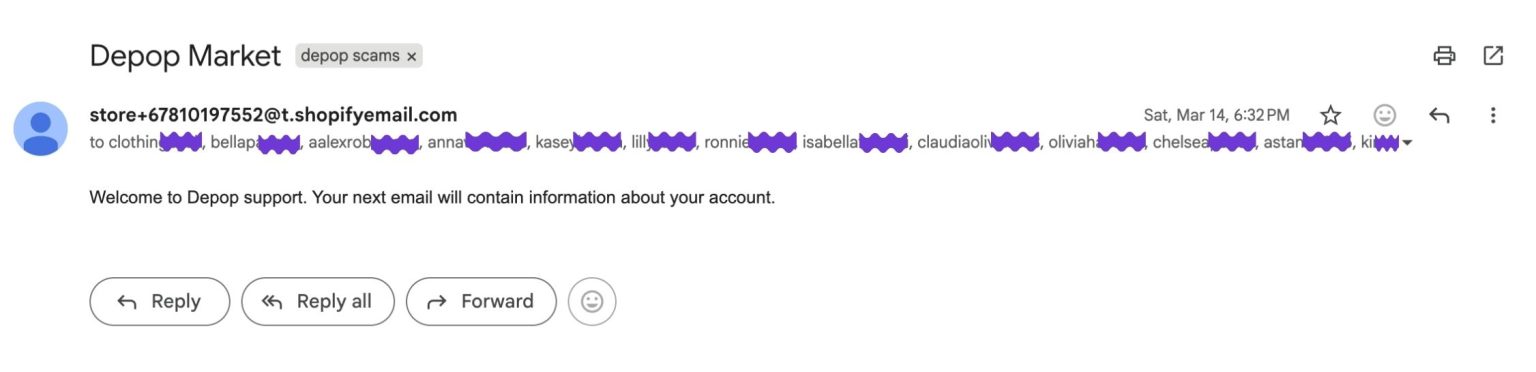
(Impersonated “Depop support” email sent from an unrelated domain to multiple recipients)
This combination of bulk recipients and mismatched sender details indicates mass distribution rather than legitimate one-to-one communication. It is also inconsistent with how Depop communicates with users. Official emails come from verified @depop.com domains, not generic Gmail accounts.
This pattern is not isolated. Similar behavior has been observed by other sellers, including examples of Microsoft Teams meeting invites sent to multiple recipients simultaneously, reinforcing that this activity is distributed at scale [this example Facebook post].
Taken together, these behaviors suggest something structured and coordinated, rather than genuine user activity. This includes not only fake buyer inquiries, but also impersonation of platform notifications and support communications.
How This Fits Broader Marketplace Scams
This behavior also aligns with known marketplace scam tactics.
Common patterns include:
- pushing sellers to communicate off-platform
- sending fake confirmation emails to simulate a completed sale
- using email as an entry point for phishing or credential theft
These tactics are widely documented across reselling platforms.
Scammers often target new or active listings and attempt to move interactions outside protected environments.
Supporting Evidence from Other Sellers
This behavior is not isolated to a single experience. Multiple sellers report the same sequence of events after listing items.
Examples include:
- Reddit: excessive spam emails immediately after listing
- Reddit: unknown users contacting via email
- Facebook: users receiving bulk emails and suspicious notifications
- Facebook: reported scam involving fake Depop communication
- Facebook: Calendly invite impersonating Depop account activity
Across these examples, the pattern is consistent: listing goes live → emails begin almost instantly
While these are anecdotal, the consistency across independent users reinforces that this is a repeatable pattern rather than isolated incidents.
What This Suggests
One likely explanation is how public marketplace listings are picked up and reused.
Ecommerce data scraping refers to extracting publicly available data such as product titles, pricing, and listing information at scale.
While this is commonly used for legitimate purposes like price monitoring or competitor analysis, the same mechanism can also be used differently.
When a listing goes live, its data can be:
- detected almost instantly
- extracted automatically
- reused in bulk messaging
This would explain:
- exact title matching
- repeated message formats
- immediate timing
- high volume of outreach
Once this data is collected, it can be fed into third-party tools such as email platforms, scheduling services, or workflow tools. These tools are designed to generate and distribute messages at scale, including automated emails, calendar invites, and system notifications.
This type of approach has been observed in broader phishing campaigns. For example, researchers have identified cases where fake Calendly invitations were used to impersonate legitimate organizations and distribute phishing messages at scale, taking advantage of the trust users place in familiar scheduling tools.
This would explain why messages appear to come from services like Calendly, Zcal, Shopify email systems, or Microsoft Teams, despite not being connected to any real transaction or interaction.
While the exact method used to obtain contact details is unclear, the consistency and timing suggest the activity is driven by automated processes rather than individual users.
Taken together, this strongly suggests the activity is automated rather than manual.
What Platforms Say
According to Depop’s official guidance:
- Official emails will always come from domains ending in @depop.com
These recommendations align directly with the behaviors observed in this case.
Why This Matters
For new sellers especially, this type of activity can be misleading.
It looks like genuine demand, and it creates urgency.
But engaging with these messages can lead to:
- phishing attempts
- fake payment flows
- malicious links
- exposure of personal or financial information
Key Takeaways
If you’re selling on marketplaces like Depop:
- Keep all communication within the platform
- Ignore emails from unknown senders referencing your listing
- Be cautious of messages that copy your listing title exactly
- Do not click external links or follow off-platform instructions
- Always verify sales within the app before taking action
Final Observation
The speed, consistency, and structure of these messages do not reflect normal user behavior. They point to automated activity reacting to newly listed items.
More importantly, this highlights a key risk for sellers. Communication that happens outside of the platform cannot be trusted in the same way.
All legitimate interactions – whether it’s messages, payment confirmations, or sale notifications, should happen within the marketplace itself. Emails claiming an item has been sold, your account needs verification, or asking you to take action should always be treated with caution unless they are clearly verified through the platform.
Recognizing this pattern is critical. If a message is coming from outside the platform, it is far more likely to be part of an automated scam or impersonation attempt than a genuine interaction.